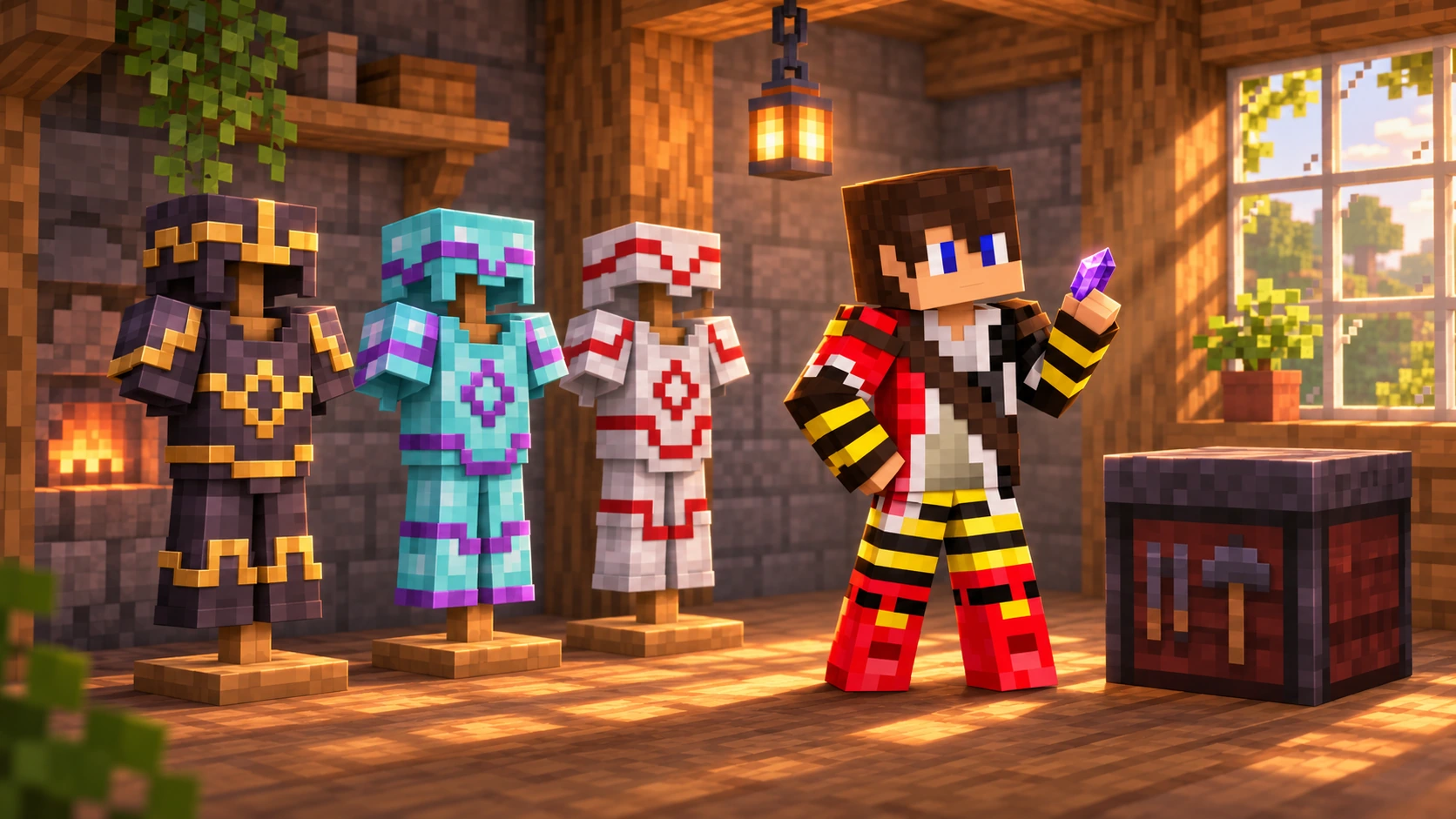
You have enchanted your armour, named your favourite sword and filled another chest with things you might need one day. Now comes an equally serious survival decision: what colour should your boots be?
Minecraft armour trims let you give your equipment a little personality. Whether you fancy a subtle silver pattern or a bright purple suit that everyone can spot across the Shopping District, there is plenty to experiment with.
This guide covers every armour trim pattern, where to look for its template, the materials that set its colour and how to make copies before decorating your best equipment.
Quick answer: choose a pattern, then choose a colour
There are 18 armour trim patterns and 11 trim materials. Combine a trim template, an armour piece and one trim material at a smithing table. Trims are cosmetic, and the template is consumed when you take the finished item. Make a copy before using your last template.
In This Guide
- How Armour Trims Work
- Every Armour Trim and Where to Find It
- Trim Materials and Colours
- How to Apply an Armour Trim
- How to Duplicate Templates
- Plan Your First Trimmed Set
- Frequently Asked Questions
- Find Your Style on TogetherCraft
How Armour Trims Work
Think of a trim as two choices. The template determines the shape of the decoration, while the material determines its colour. Using the same pattern with gold, redstone or amethyst gives you different looks.
A trim does not improve protection, toughness or durability. It also does not add an enchantment. A diamond chestplate with a netherite trim remains a diamond chestplate.
For stronger equipment, start with our best Minecraft enchantments guide. If you want to upgrade diamond gear itself, follow the Netherite guide.
Trims can be applied to helmets, chestplates, leggings and boots, including leather and copper armour. Turtle shells can be trimmed too. You can give each piece its own pattern and colour, so a matching set is entirely optional.
Gold decoration is still decoration
Gold trim does not make piglins treat diamond or netherite armour as gold armour. Likewise, netherite trim does not give another armour material the dropped item protection of actual netherite equipment.
Every Armour Trim and Where to Find It
Use this table to plan your next trip. Most templates are structure loot, but Tide comes from elder guardians, four patterns come from archaeology, and the two Trial Chamber trims come from different vault types.
| Pattern | Where to look | How to obtain it |
|---|---|---|
| Bolt | Trial chambers | Standard vault rewards |
| Coast | Shipwrecks | Loot chests |
| Dune | Desert pyramids | Loot chests |
| Eye | Strongholds | Library and altar chests |
| Flow | Trial chambers | Ominous vault rewards |
| Host | Trail ruins | Brush suspicious gravel with rare archaeology loot |
| Raiser | Trail ruins | Brush suspicious gravel with rare archaeology loot |
| Rib | Nether fortresses | Loot chests |
| Sentry | Pillager outposts | Loot chest |
| Shaper | Trail ruins | Brush suspicious gravel with rare archaeology loot |
| Silence | Ancient cities | Loot chests |
| Snout | Bastion remnants | Loot chests |
| Spire | End cities | Loot chests |
| Tide | Ocean monuments | Possible elder guardian drop |
| Vex | Woodland mansions | Loot chests |
| Ward | Ancient cities | Loot chests |
| Wayfinder | Trail ruins | Brush suspicious gravel with rare archaeology loot |
| Wild | Jungle temples | Loot chests |
Finding the right structure does not mean every container will hold a template. Be prepared to explore more than one location, and keep your first successful find somewhere safe.
Which Pattern Should You Hunt First?
We would start with a pattern linked to an adventure you already want to take. Check shipwrecks while exploring an ocean, look for Eye while preparing for the End, or add a brush to your next archaeology trip.
Silence is a popular collecting goal, but an ancient city is a serious trip for a cosmetic reward. Take your time preparing rather than treating it as a quick shopping run. There is no need to start with the hardest journey.
If you are heading towards Spire, our Elytra guide helps with planning an End city expedition. For underwater or Nether trips, the potions guide can help you choose supplies.
Take the right tool for archaeology
Host, Raiser, Shaper and Wayfinder come from brushing suspicious gravel in trail ruins. Brush it carefully rather than breaking it like ordinary gravel. A shovel is useful for uncovering a site, but it is not the tool that extracts its archaeology loot.
Trim Materials and Colours
Once you have a pattern, the colour is the easier part to change. Each application uses one of the following items. The descriptions below are a guide to the palette, rather than a promise of exactly how it will look with every texture pack or shader.
| Trim material | Colour family |
|---|---|
| Amethyst shard | Purple |
| Copper ingot | Copper orange |
| Diamond | Light blue |
| Emerald | Green |
| Gold ingot | Gold yellow |
| Iron ingot | Silver grey |
| Lapis lazuli | Deep blue |
| Nether quartz | White |
| Netherite ingot | Dark grey |
| Redstone dust | Red |
| Resin brick | Bright orange |
Use a resin brick item for resin trim, rather than a resin clump or a block of resin bricks. Resin clumps can be smelted into resin bricks.
Colour contrast matters more than cost. We would try quartz, gold or amethyst on dark armour, and redstone or lapis when we want a stronger colour against a lighter base. Expensive materials do not make a trim more powerful.
Matching the trim material to the armour material is allowed. Where a matching palette exists, the game uses a darker version of the trim so the pattern remains visible. Check the smithing preview before committing.
How to Apply an Armour Trim
You need a smithing table, the chosen trim template, one armour piece and one colour material. A smithing table can be crafted with two iron ingots and four planks.
- Open the smithing table and place your armour trim template in the template slot.
- Place the helmet, chestplate, leggings or boots you want to decorate in the equipment slot.
- Add one trim material, such as an amethyst shard or gold ingot, in the material slot.
- Inspect the preview and check that you have chosen the right pattern and colour.
- Take the finished armour. This consumes one template and one trim material.
Applying a trim costs no experience and preserves the armour’s enchantments and custom name. It does not repair worn equipment, so deal with durability separately.
You can apply another trim later, but the new pattern and colour replace the existing trim. A single armour piece cannot display several trims at once. You do not recover the previous template or material.
Diamond first, Netherite later
You can decorate diamond armour before upgrading it. Its trim carries over during a Netherite upgrade, so you can enjoy the look while collecting the materials for your next equipment upgrade.
How to Duplicate Templates
Finding a template unlocks the option to make more of that pattern. At a crafting table, combine one template, seven diamonds and one matching duplication ingredient to produce two templates.
In the crafting grid, put the template at the top centre and its matching ingredient in the centre. Fill the other seven spaces with diamonds. You finish with one more template than you started with.
| Template | Matching duplication ingredient |
|---|---|
| Sentry, Coast, Vex | Cobblestone |
| Dune | Sandstone |
| Wild | Mossy cobblestone |
| Host, Raiser, Shaper, Wayfinder | Terracotta |
| Ward, Silence | Cobbled deepslate |
| Tide | Prismarine |
| Snout | Blackstone |
| Rib | Netherrack |
| Eye | End stone |
| Spire | Purpur block |
| Bolt | Block of copper or waxed block of copper |
| Flow | Breeze rod |
These are ingredients suitable for the Java Edition recipes. Use the exact item named: cobbled deepslate is different from deepslate, and a purpur block is different from a purpur pillar.
The duplication ingredient does not choose your trim colour. For example, a Breeze rod copies a Flow template at the crafting table, while an emerald colours a Flow trim green at the smithing table.
Keep a master copy
Put one of each collected template aside and use copies for decorating. It is much nicer to spend a few diamonds on another copy than to realise your only Silence template has just become a pair of boots.
Plan Your First Trimmed Set
Choose one pattern and one colour for your first set. That gives you a clear starting point, and you can experiment with mixed patterns once you have a collection of spare templates.
| Starting with one template | Extra templates needed | Duplication cost |
|---|---|---|
| Trim four pieces, keeping no spare | 3 | 21 diamonds and 3 matching ingredients |
| Trim four pieces and keep one spare | 4 | 28 diamonds and 4 matching ingredients |
Both examples also require your four armour pieces and four trim colour items. These totals assume the normal duplication recipe and that all four pieces use the same pattern.
If diamonds are the missing ingredient, our ore generation and diamond mining guide can help you plan a mining trip.
| Look to try | Our colour suggestion | Why we would try it |
|---|---|---|
| Classic dark armour | Gold on Netherite | A warm contrast that is easy to spot |
| Bright adventurer | Amethyst on diamond | A playful purple accent |
| Clean and simple | Quartz on Netherite | A crisp, pale pattern |
| Bold workshop set | Redstone on iron | A strong red accent on a lighter base |
| Autumn colours | Resin on Netherite | A bright orange detail against dark armour |
These are style suggestions, so choose what you enjoy wearing. You can also mix a detailed chestplate pattern with quieter boots or build an armour display around several colour themes.
Before spending resources on a full set, try the combination on one piece and look at it in your usual lighting. Enchantment glint, resource packs and shaders can all affect how clearly the pattern stands out.
Frequently Asked Questions
How many armour trim patterns are there?
There are 18 armour trim patterns. The Netherite Upgrade template is a separate smithing template used to upgrade equipment, so it is not a nineteenth trim pattern.
Do armour trims improve protection?
No. Armour trims are cosmetic. Their pattern and material do not increase protection, durability or enchantment strength.
Are armour trim templates consumed?
Yes. Applying a trim consumes one template and one colour material. Duplicate your only template first if you want to keep that pattern available.
Can I change an armour trim later?
Yes. Apply a new template and trim material at a smithing table. The new trim replaces the existing one, and the previous materials are not refunded.
Can I trim enchanted armour?
Yes. Applying a trim preserves the existing enchantments and custom name, and costs no experience. It does not repair the armour.
Does a trim survive a Netherite upgrade?
Yes. Upgrading trimmed diamond armour to Netherite preserves the trim. The equipment upgrade still needs its own Netherite Upgrade template and Netherite ingot.
Can I use resin to trim armour?
Yes. Use a resin brick item for the bright orange trim. A resin clump and a block of resin bricks are different items and do not fill that role.
Can I put different trims on each armour piece?
Yes. Each piece can use its own pattern and colour. One individual piece displays one trim at a time, so you can mix a set without stacking several patterns on the same item.
Find Your Style on TogetherCraft
The best armour trim is the one you enjoy wearing. Find a pattern that reminds you of an adventure, choose a colour you love, and keep a spare template tucked away for the next set.
On TogetherCraft, our adult Minecraft server gives you plenty of reasons to make your equipment your own, from community events to projects with friends. If you enjoy the creativity of a Hermitcraft like server, collecting patterns can become a lovely shared project.
Browse the Shop Directory for player shops and check the Price Index when planning purchases. Always ask permission before taking items from another player’s containers, even when you find them inside a structure.